Know Your Driving Licence Status 2026: Track Your DL Online (Sarathi Guide)
You applied for your Driving Licence weeks ago. Now you’re wondering if it’s approved, printed, or still stuck somewhere at the RTO. The good news: you don’t need to visit any office to find out. Every applicant can track their Driving Licence status online, free of cost, through the official Sarathi Parivahan Sewa portal.
This guide walks you through every method to check your status, what each status message actually means, and what to do if your application seems stuck.
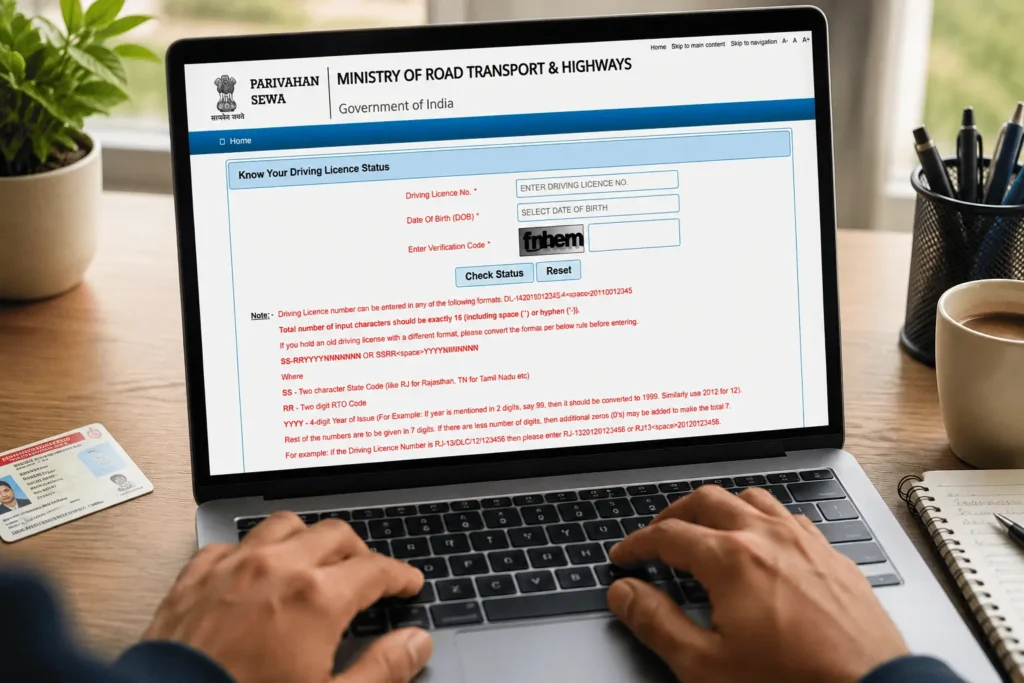
Live DL Status Tracker Preview
See exactly how your real status timeline will look. Enter your own application number and press Track to run it again.
This is a demo preview. For your real, current status, always check the official Parivahan / Sarathi portal directly.
What Does Driving Licence Status Mean?
Your DL status shows exactly where your application stands right now — whether it’s a new Learner’s Licence, a Permanent DL, a renewal, or a duplicate request. The Sarathi database updates it at every stage of the journey.
What Does It Show?
The current stage of your specific application — Learner’s Licence, Permanent DL, renewal, or duplicate DL request.
What Stages Are Tracked?
Submission, document verification, testing, approval, printing, and dispatch — updated live at every step.
What Do I Need to Check It?
Just your Application Number and Date of Birth. No documents or ID uploads needed to check.
Does It Cost Anything?
No. Checking your DL status on the official portal is completely free, every single time.
How to Check Your Driving Licence Status Online (Step-by-Step)
You’ll need two things before you start: your Application Number (given to you on your receipt when you applied) and your Date of Birth.
Here’s the general process:
- Go to the official transport portal at parivahan.gov.in, then move to the state-specific Sarathi section, or your state’s dedicated RTO portal if it runs one separately.
- Select the state where you originally submitted your application. Picking the wrong state is the single most common reason people see “no record found.”
- Look for the driving licence status or application tracking option in the site’s navigation.
- Enter your application number exactly as printed on your receipt, along with your date of birth, and complete the captcha.
- Submit the form to view your current status and a stage-by-stage history of your application.
If you don’t have your application number handy, most state portals also offer a way to recover it using your name, date of birth, and registered mobile number — look for an option like “Find Application Number” on the same portal.
What Your Status Journey Looks Like
Once you submit your application number, the Sarathi portal shows your progress as a series of stages. Here’s the typical journey, from start to finish:
- Application Submitted — your form is filled, fee paid, and documents uploaded.
- Scrutiny / Biometrics — the RTO verifies your documents and captures your photo.
- Under Processing — your file sits in the RTO’s approval queue.
- Approved & Printed — your licence number is generated and the card moves to printing.
- Dispatched via Speed Post — your card is handed to India Post with a tracking ID.
Seeing your application stuck at any one of these stages for a few days is normal. It only becomes a concern past the 30-day mark.
Every Ways to Check Your DL Status
You’re not limited to one method. Depending on what’s convenient, try any of these:
- Parivahan Sewa portal — the central dashboard for all transport services. Navigate to “Online Services” → “Driving Licence Related Services.”
- Sarathi Portal (direct) — the fastest route. Go straight to sarathi.parivahan.gov.in and select your state.
- mParivahan App — download the official app, open the DL section, and enter your application number.
- DigiLocker — if your DL is approved, search for it in DigiLocker. A successful fetch confirms your licence is active.
- Local RTO office — visit with your application receipt if the online portal shows no update after 30 days.
- State transport portals — a few states run parallel transport websites where you can also trace your application.
Understanding Driving Licence Status Messages
RTO status pages use specific terms that can be confusing for first-time applicants. Here’s what the common ones mean:
| Status Message | What It Means | What You Should Do |
|---|---|---|
| Submitted | Application filled and fee paid | Wait for document scrutiny |
| Under Scrutiny | Documents being verified | No action needed |
| Test Slot Pending | Driving test not yet booked | Book your test slot online |
| Test Passed | You cleared the driving test | Wait for RTO approval |
| Approval Pending | Awaiting officer’s digital sign-off | Wait 7–15 days typically |
| Approved | DL officially granted | You can download the e-DL |
| Printing | Smart card queued for printing | Wait for dispatch update |
| Dispatched | Card handed to India Post | Track using the Speed Post number |
| Rejected | Application denied | Check the reason and reapply |
Wait times shown here are commonly reported ranges, not an officially published SLA — actual timelines can vary by state and RTO workload.
Driving Licence Number Format (For Old Licences)
If you hold an older, non-digitised licence, your DL number may need conversion before you can check status. According to the official Parivahan format guide, here’s how the 16-character format breaks down:
| Part | Meaning | Example |
|---|---|---|
| SS | 2-letter State Code | RJ (Rajasthan) |
| RR | 2-digit RTO Code | 13 |
| YYYY | 4-digit Year of Issue | 2012 |
| NNNNNNN | 7-digit Licence Number (add leading zeros if shorter) | 0123456 |
Old format: RJ-13/DLC/12/123456 Converted format to enter online: RJ1320120123456
Tracking Your DL After Dispatch
Once your status changes to “Dispatched,” your Smart Card has been handed over for delivery. Here are two ways to track it:
| Method | How It Works |
|---|---|
| SMS tracking number | You typically receive an SMS with a Speed Post tracking number. Enter it on the official India Post tracking page to see live movement from the RTO to your local post office. |
| Sarathi portal (no SMS received) | Log back into your Application Status page. Your dispatch details, including the tracking reference, are usually listed alongside the “Dispatched” status update. |
Delivery generally takes a few working days depending on your location and postal workload — treat this as a general estimate, not a guarantee. If the postman can’t locate your address, the card is typically returned to the RTO for collection.
Download Your Driving Licence (e-DL) Digitally
While you wait for the physical card — or if you’ve misplaced it — a digital copy works just as well. Under the IT Act, a DL stored in DigiLocker is legally valid and accepted by traffic police.
To fetch it:
- Open the DigiLocker app or visit digilocker.gov.in.
- Log in using your Aadhaar-linked mobile number and OTP.
- Search for your Driving Licence under the Ministry of Road Transport and Highways category.
- Enter your DL number to fetch and download the document.
You can also print or save your e-DL directly from the Sarathi portal once your status shows “Approved.”
Application Forms You May Need
If your status shows a document rejection or pending correction, you may need to resubmit a specific form — most commonly Form 2 (application for Learner’s/Driving Licence) or Form 1A (medical certificate, required for transport licences or applicants above 40). You’ll find direct download links for all Driving Licence forms on our Parivahan Sewa forms table.
Driving Licence Fees
Checking your status is always free. For the current government fee structure for Learner’s Licence, Permanent DL, renewal, and duplicate DL, see the fee table on our main Parivahan Sewa guide — fees are revised periodically and vary slightly by state, so always confirm on the portal before paying.
What to Do If Your Status Is Stuck
- Stuck at “Under Processing” — this usually means your file is in the RTO officer’s queue. Wait a few extra days before escalating.
- “Record Not Found” — double-check your application number, date of birth, and selected state.
- No status update for 30+ days — visit your RTO in person with your application receipt, or contact the helpdesk.
Need Help? Official Contact
For technical issues with the Sarathi portal, here’s the verified official contact:
| Contact Method | Details |
|---|---|
| Phone | 0120-2459169 |
| Timing | 6 AM – 10 PM, all days |
| helpdesk-sarathi@gov.in |
Several other helpline numbers circulate across informational websites — we’ve verified and used only the number listed on the official sarathi.parivahan.gov.in contact page.
FAQs About Driving Licence Status
Conclusion
Checking your Driving Licence status takes just a couple of minutes through the official Sarathi Parivahan portal — no RTO visit required. Keep your application number and date of birth handy, and use the official channels listed above rather than third-party links. If your status stays stuck beyond the usual timeline, reach out to your RTO or the verified Sarathi helpdesk directly.
Explore More Parivahan Sewa Services
- Check or Download Your Vehicle RC — verify registration details or get a duplicate RC online.
- Pay Your Traffic e-Challan Online — check pending fines and pay them securely.
- Look Up Any Vehicle’s RTO Details — find registration info using just a vehicle number.