Download NextGen mParivahan App: A Complete Guide to RC Check, DL Services, Challan Status & Vehicle Details (2026)
Want to check RC, DL or challan details instantly? The NextGen mParivahan App 2026 lets you access all vehicle services online without visiting the RTO.
mParivahan is an official digital service platform developed by the Ministry of Road Transport and Highways (MoRTH), Government of India. It allows vehicle owners and drivers to access important transport-related services directly from their mobile phone or online platform.
With the NextGen mParivahan app, users can check vehicle details, RC status, driving licence information, challan details, insurance validity, PUC, and much more — without visiting an RTO office.
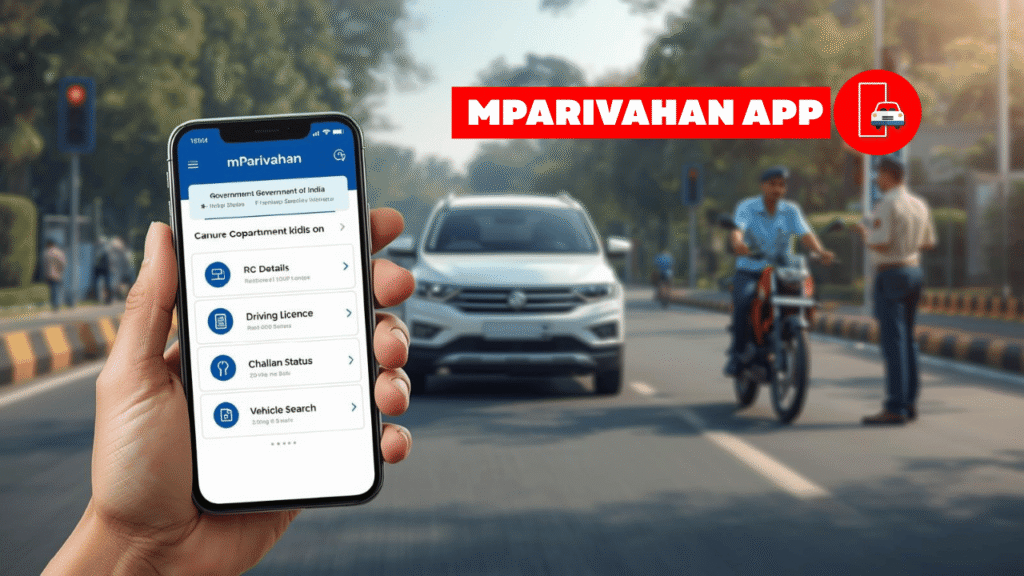
In this guide, you will learn everything about mParivahan, including how to use the app, how to check RC and DL, challan services, insurance checks, fancy numbers, and state-wise usage — all explained in simple, professional language.
This guide is updated as per the latest Updated (2026) mParivahan and Parivahan Sewa system.
What Is mParivahan App 2026?
mParivahan is a digital extension of the Parivahan Sewa portal. It provides real-time access to vehicle and licence data stored in the national transport database.
It works both:
- Online (website-based services)
- Through the mParivahan mobile app
The platform is officially connected with:
- VAHAN (vehicle database)
- SARATHI (driving licence database)
This makes mParivahan reliable, authentic, and legally accepted across India.
Download mParivahan App
If you are looking for mParivahan download, you can install the official NextGen mParivahan App 2026 from the links below.
The official NextGen mParivahan app is available on both the Google Play Store (Android) and the Apple App Store (iOS). After downloading and installing the app, users can easily access vehicle details, driving licence information, mParivahan challan status, RC details, and other transport-related services directly from their smartphone.
Key Features of mParivahan App
These features make mParivahan one of the most reliable and user-friendly transport apps for checking vehicle and licence details online.
| Feature | Benefit |
|---|---|
| Vehicle Details | Instantly check owner, model, RTO & registration info |
| RC Status & Download | Carry valid digital RC on your phone, accepted nationwide |
| Driving Licence Services | Check DL status, validity & download digital copy |
| Challan Check | View traffic fines and challan status online |
| Insurance & PUC | Verify vehicle insurance and pollution certificate validity |
| Application Tracking | Track RC & DL applications without visiting RTO |
| Fancy / Choice Number | Search, apply & track premium registration numbers |
| All-India Validity | Digital documents accepted by traffic police across India |
mParivahan vs Parivahan Sewa – Full Comparison
Many users often get confused between mParivahan and Parivahan Sewa. Both are official transport services, but they are designed for different purposes. Understanding their differences helps you choose the right platform for checking vehicle details or completing RTO-related work.
| Feature | mParivahan App | Parivahan Sewa Portal |
|---|---|---|
| Platform Type | Mobile App (Android & iOS) | Web-based Government Portal |
| Main Purpose | Quick access to RC, DL & vehicle details | Complete RTO services like apply, renew & transfer |
| Ease of Use | Very simple and user-friendly | Detailed but slightly complex for beginners |
| Digital Documents | Provides virtual RC & DL (valid nationwide) | Download official documents and certificates |
| Challan Services | Check challan status instantly | Check and pay challan online |
| Applications & Forms | Limited features (mainly viewing services) | Full applications for DL, RC, renewal & ownership transfer |
| Best For | Daily users who need quick information | Users who need complete official RTO work |
In simple terms, mParivahan is best for quickly checking vehicle and licence details on your phone, while Parivahan Sewa is more suitable for completing official RTO-related tasks like applying for licences, renewals, and vehicle transfers.
mParivahan Login & NextGen mParivahan
mParivahan Login
To access advanced features:
- Open the mParivahan app
- Enter your mobile number
- Verify with OTP
- Set up your profile
NextGen mParivahan Login
The NextGen mParivahan interface is an upgraded version offering:
- Faster performance
- Improved user interface
- Better integration with VAHAN e-Services
Users can log in using the same mobile number and OTP method.
mParivahan Vehicle Details & Search
mParivahan Vehicle Details by Number
You can easily check vehicle information by entering the vehicle registration number.
Details include:
- Owner name (partial)
- Vehicle model and class
- Fuel type
- Registration date
- RTO details
This feature is often called:
- mParivahan vehicle search
- mParivahan vehicle details by number
mParivahan RC Services
mParivahan RC Check
Users can perform:
- mParivahan RC check
- RC check by vehicle number
- mParivahan RC details & status
These services help users verify registration validity, ownership status, and RC details instantly through the national database.
mParivahan RC Download
The app allows you to:
- Download digital RC
- Store it securely on your phone
- Use it as a valid document during checks
How to Apply for Vehicle Services (RC) Using mParivahan App
The mParivahan app allows vehicle owners to apply for multiple RC-related services online, reducing the need to visit the RTO in most cases. Whether you need a duplicate RC, ownership transfer, address change, or registration renewal, these services can be initiated digitally through the app or Parivahan Sewa portal.
Step-by-Step Process to Apply for RC Services
Step 1: Open Vehicle-Related Services
Launch the mParivahan app and select “Vehicle Related Services” from the dashboard.
Step 2: Enter Vehicle Details
Provide your vehicle registration number along with the last 5 digits of the chassis number and engine number for verification.
Step 3: Mobile Authentication
An OTP will be sent to your registered mobile number. Enter the OTP to authenticate your request.
Step 4: Select Required RC Service
Choose the service you want to apply for, such as:
- Issue of Duplicate RC
- Ownership Transfer
- Address Change
- Renewal of Registration
Step 5: Fill the Online Application Form
Carefully enter the required details and upload the necessary documents.
Step 6: Fee Payment & RTO Appointment
Pay the applicable service fee online. In some states, a physical vehicle inspection may be required, in which case you can book an RTO appointment slot directly through the system.
Documents Required for RC Services
The documents required depend on the type of service you are applying for:
For Duplicate RC
- Copy of FIR (in case of lost RC)
- Valid Motor Insurance Certificate
- PUC Certificate
For Ownership Transfer
- Sale Letter / Form 21
- Original Registration Certificate
- Valid Vehicle Insurance
For Address Change in RC
- New address proof (Aadhaar Card, Voter ID, etc.)
- Original RC
Checking Vehicle and RC Details on mParivahan
The mParivahan vehicle search feature helps users verify vehicle and RC details online, which is especially useful when purchasing a second-hand vehicle or checking registration validity.
How to Check Vehicle and RC Details
Step 1: Open RC Section
From the app dashboard, tap on the “RC” option.
Step 2: Enter Vehicle Number
Type the vehicle registration number (for example: DL12AB1234) and tap on Search.
Step 3: View Vehicle Information
The app will display:
- Owner’s name (partially masked)
- Vehicle model and category
- Fuel type
- Registration date
- RTO details
Step 4: Create Virtual RC (Optional)
To access full details and carry your RC digitally, select “Add to Dashboard for Virtual RC.”
You will need to enter the last 5 digits of the chassis and engine number to confirm ownership.
The virtual RC available in mParivahan is legally valid across India and accepted by traffic authorities.
mParivahan Driving Licence (DL) Services
mParivahan DL Features
- mParivahan DL check
- DL status tracking
- DL download (digital copy)
How to Apply for a New Driving License (DL) Using mParivahan App
Applying for a new driving license in India has become much easier with the NextGen mParivahan app. In many states, the entire process is now contactless, allowing applicants to complete most steps online without visiting the RTO. If your Aadhaar card is linked with your mobile number, you may even be eligible to appear for the Learner’s License (LL) test online.
Step-by-Step Process to Apply for Driving License Online
Step 1: Open the mParivahan App
Download and open the official NextGen mParivahan app, then tap on the “Driving License” option from the home screen.
Step 2: Select Your State
You will be redirected to the Sarathi (Parivahan) portal. Choose the state where you currently reside to continue the application process.
Step 3: Apply for Learner’s License (LL)
Select “Apply for Learner’s License” and choose the Aadhaar-based option for a faster and paperless process.
Step 4: Fill in Personal Details
Enter your Aadhaar number and verify it using the OTP sent to your registered mobile number. Your basic details such as name and address will be auto-filled.
Step 5: Upload Required Documents
Upload scanned copies of your age proof, address proof, and recent photograph and signature (if Aadhaar e-KYC is not used).
Step 6: Pay the Application Fee
Complete the payment securely using UPI, debit card, credit card, or net banking.
Step 7: Appear for the Online Test
If available in your state, you can take the online Learner’s License test from home. After passing the test, your Learner’s License can be downloaded online instantly.
Documents Required for Driving License Application
To apply through mParivahan, keep the following documents ready:
- Age Proof: Aadhaar Card, 10th Marksheet, Passport, or Birth Certificate
- Address Proof: Aadhaar Card, Voter ID, Electricity Bill, or Rent Agreement
- Photograph & Signature: Scanned copies (recommended size: 20KB–50KB)
- Medical Certificate (Form 1A): Required only for applicants above 40 years or commercial vehicle licenses
mParivahan Driving Licence Status
You can view:
- Driving licence application status
- Licence issue date
- Validity and expiry details
- Class of vehicle (LMV, MCWG, etc.)
The digital DL available in the app is legally valid across India.
mParivahan Challan & e-Challan Services
mParivahan Challan Check
Using the platform, users can:
- Check traffic challans
- View challan details
- Track challan status
mParivahan e-Challan
The mParivahan e challan system shows:
- Violation details
- Fine amount
- Issuing authority
mParivahan Fine & Challan Status
You can verify unpaid fines and check whether a challan has been cleared.
mParivahan Insurance & PUC Services
mParivahan Insurance Check
The app shows:
- Insurance provider name
- Policy validity
- Insurance status (active/expired)
mParivahan PUC / PUCC
You can also check:
- Pollution Under Control Certificate status
- PUCC expiry date
This helps avoid penalties during traffic checks.
mParivahan Application & Status Tracking
Users can track:
- mParivahan application status
- RC or DL service requests
- Online applications submitted via Parivahan Sewa
This feature is especially useful for users who apply online and want updates without visiting the RTO.
mParivahan Fancy Number & Choice Number
mParivahan Fancy Number
The platform provides access to:
- Fancy number availability
- Premium registration numbers
mParivahan Choice Number
Users can:
- Search for preferred numbers
- Apply through the official system
- Participate in number selection as per state rules
mParivahan for PC & Website Access
Although mainly a mobile platform, users can access services through:
- mParivahan website
- Parivahan Sewa portal (desktop)
This is useful for users who prefer working on a computer.
State-Wise mParivahan Usage
mParivahan works across India, including:
- mParivahan Assam
- mParivahan Kerala
- mParivahan Gujarat
- mParivahan Punjab
- mParivahan Bihar
- mParivahan Odisha
- mParivahan Delhi
Services may slightly vary by state, but core features remain the same.
mParivahan Sewa & VAHAN e-Services
mParivahan is closely integrated with:
- Parivahan Sewa
- VAHAN e-Services
This integration ensures accurate, real-time government data for all users.
Is mParivahan Safe and Legal?
Yes. mParivahan is:
- Government-authorized
- Secure
- Accepted by traffic authorities
- Linked with official transport databases
Digital RC and DL shown in the app are valid under Indian law.
Frequently Asked Questions (FAQs)
Final Thoughts
mParivahan has transformed how Indian citizens access transport-related services. From RC checks and DL downloads to challan status, insurance verification, and fancy number services, everything is now available digitally.
If you want a reliable, official, and user-friendly transport service platform, mParivahan is the best solution available today.